

Stronger Cyber Defense with Advanced CISO-Level Protection
Sophos Gold Partner
Monitoring & Support
Deployment Options
Nationwide Coverage
Traditional computer environments tie personnel to physical devices, making updates, protection patches, and hardware refreshes gradual and resource-intensive for IT teams. As organizations adopt hybrid work models and dispersed teams, this model struggles to keep pace with the need for steady, flexible access from anywhere.
Virtual Desktop Infrastructure (VDI) solves this by hosting desktop environments on centralized servers rather than personal devices. A hypervisor separates the working device from the physical hardware, permitting IT teams to create, manage, and deliver virtual computers to personnel via secure remote connections. Users access those hosted virtual desktops from desktops, thin clients, tablets, or smartphones, while processing and data storage stay covered in the data center.
This approach offers companies unified desktop management, more potent data protection, and constant performance throughout each device, regardless of where employees work. As enterprises across the UAE embrace hybrid work models, VDI has become a key part of modern IT strategy rather than an optional technology investment.
Netmate IT designs and deploys enterprise-grade VDI solutions constructed on Dell Technologies infrastructure, combining Dell PowerEdge servers, Dell storage solutions, and main virtualization software to offer businesses steady, scalable, and high-performing virtual computer environments.
As groups grow and adopt hybrid work fashions, dealing with computer infrastructure conventionally creates actual operational and security stress. Businesses operating with Netmate IT frequently face:
Organizations that centralize desktop delivery gain far more than convenience. They gain greater control, stronger security, and the flexibility to support a workforce that expects to work from anywhere. Virtual Desktop Infrastructure enables corporations:
A single console gives IT groups complete visibility and management over each virtual desktop, disposing of the need to manage individual devices throughout the company.
Encrypted connections let employees access their computer systems from everywhere without exposing business data to unsecured networks or private gadgets.
Employees can get admission to their complete virtual desktop from a computer, tablet, phone, or thin client, giving them the ability to work from whichever device suits the moment.
Business data remains inside the data center instead of on local devices, so lost or stolen hardware never puts sensitive data at risk.
Failover and redundancy are constructed into the infrastructure to keep virtual computer systems available even during hardware troubles or unplanned outages.
New virtual computer systems may be deployed within mins, supporting IT teams to onboard personnel quickly and respond to changing business needs without delay.
Virtual Desktop Infrastructure, delivered via Netmate IT, offers corporations a more secure, efficient manner to control computers while retaining operations resilient across every location and tool. Key blessings consist of:
Netmate IT enables businesses to compare their workloads, compliance requirements, and growth plans to select the deployment structure that fits their business best.
Netmate IT deploys and manages a complete variety of Dell Technologies infrastructure and virtualization platforms, each assisting a specific layer of the VDI environment.
Choosing the right Dell infrastructure depends on user needs, workload type, and performance requirements. Here’s how Netmate IT typically recommends Dell Technologies solutions for VDI environments.

encouraged when companies need reliable, high-performance compute infrastructure to host large numbers of virtual desktops.
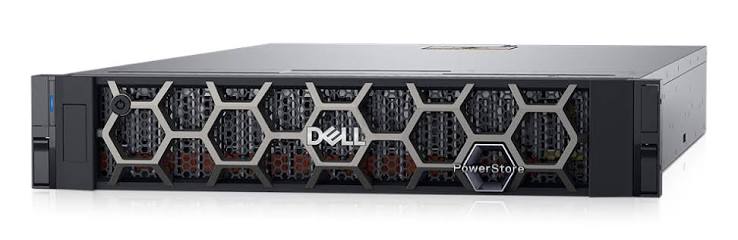
recommended for organizations that want fast, flexible storage able to deal with annoying VDI workloads at scale.

encouraged while businesses control large volumes of user profiles, directory data, and file data throughout a growing virtual desktop environment.
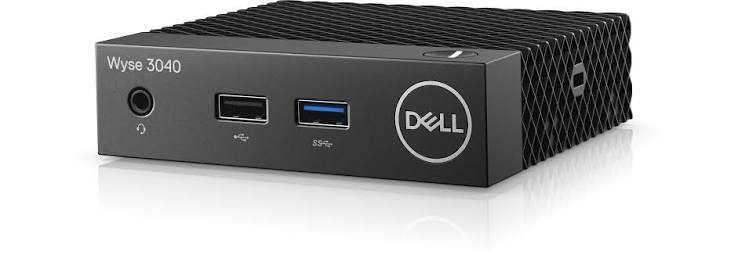
recommended for companies seeking to lessen endpoint costs while giving employees secure, purpose-built devices for getting access to virtual computers.
recommended whilst businesses need to guard virtual desktop data and ensure speedy recuperation in the event of an outage or attack.
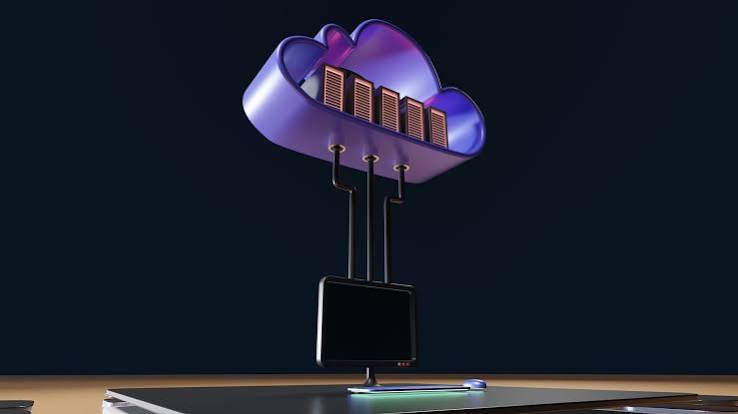
endorsed for businesses that need a mature, feature-rich platform to manage large-scale virtual computing device deployments.
A UAE-based logistics enterprise approached Netmate IT with a growing challenge. Field teams and warehouse staff across multiple locations needed to get access to the core business applications, dealing with personnel’s desktops across every website, making updates, applying safety patches, and creating slow and inconsistent IT operations. Devices were frequently lost or damaged within the area, and every incident resulted in lost productivity while IT reimaged or replaced hardware. Netmate IT deployed a VMware Horizon-based VDI environment on Dell PowerEdge and PowerStore infrastructure, giving personnel secure computer access from Dell Wyse thin clients at every location. It could now provision new computer systems in minutes, push updates centrally, and keep enterprise data off local devices entirely, cutting device-related downtime extensively.
This pattern repeats throughout industries in the course of the UAE and wider GCC region, from banks giving investors steady centralized desktop access to hospitals letting clinicians access patient systems from any tool without data ever touching the endpoint. Most agencies already have the packages and data their teams need, but lack a means to deliver them securely and continually across a dispersed workforce, and that’s the gap Netmate IT and Dell Technologies close with VDI.
Virtual Desktop Infrastructure is a technology that hosts desktop environments on centralized servers as opposed to personal devices, allowing user to securely access their desktop from anywhere.
A hypervisor separates the desktop operating system from physical hardware, hosting virtual desktops centrally and making them available to users over a secure connection, regardless of the device they use to connect.
VDI is commonly deployed and managed on infrastructure that the employer owns or controls, whilst DaaS provides virtual desktops as a fully managed cloud provider, normally billed on a subscription basis.
VDI improves data security, reduces IT control charges, simplifies software updates, and offers employees steady, flexible access to their computers from any device.
Yes. VDI is built to guide secure remote work, giving personnel full access to their corporate desktop and packages without exposing sensitive business information to personal devices or networks.
Dell PowerEdge servers, PowerStore and PowerScale storage, PowerProtect backup solutions, and Dell Wyse thin clients all support the organisation's VDI deployments.
VDI maintains business data centralized in the data center as opposed to on local gadgets, reducing exposure to data loss or theft even if an endpoint is lost, stolen, or compromised.
Yes. Netmate IT manages the whole migration process, from evaluation and solution design through secure computer migration, checking out, and ongoing support.
Fill in your details and we'll get back to you shortly.
Fill in your details and we'll get back to you shortly.