

Description
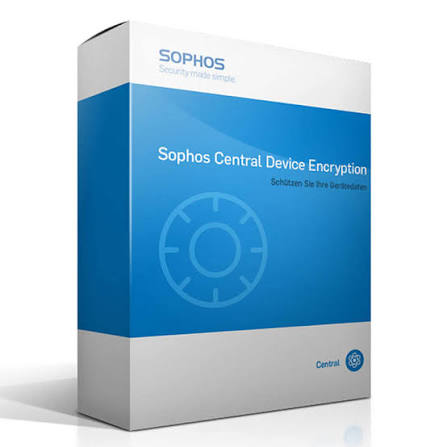
Sophos Central Device Encryption
Sophos Central Device Encryption (CDE) is an enterprise full-disk encryption management platform that secures sensitive data on lost or stolen laptops and desktops. It is built to manage OS-native encryption engines, Windows BitLocker and macOS FileVault. Furthermore, it eliminates the need for complex, dedicated key management infrastructure by consolidating control in the cloud-hosted Sophos Central interface. The Sophos CDE continuously validates security compliance, automates secure key storage and rotation, and provides self-service recovery portals, ensuring corporate disk data remains unreadable to unauthorized parties without disrupting daily user workflows.
Netmate Information Technology Services secures, configures, and manages Sophos Central Device Encryption for enterprise customers in the UAE, GCC, Kenya, and Nepal. Our certified engineers can help regional organizations implement BitLocker/FileVault policies, verify/validate TPMs, set up compliance reports, and automate key recovery.
Key Features of Sophos Central Device Encryption
Native Full-Disk Encryption Management
This feature utilizes the high-quality native hardware encryption technologies of operating systems, such as Windows BitLocker and macOS FileVault, for quick deployment with no third-party kernel drivers.
Centralized Key Escrow & Management
Automatically uploads and stores device recovery keys in encrypted format within Sophos Central. Administrators can easily retrieve recovery keys for locked or domain-disconnected devices.
User Self-Service Recovery Portal
Reduces IT service desk tickets by providing a web-based self-service portal where employees can independently retrieve recovery keys, reset PINs, or unlock encrypted drives securely using multi-factor authentication (MFA).
Secure Document Sharing
Can create password-protected, encrypted HTML wrapping around sensitive files directly in Windows Explorer or macOS Finder, enabling secure file sharing with external parties.
Proof-of-Compliance Reporting
Produces current compliance reports of all laptops, workstations, and removable drives in the organization as they are currently being used to meet strict regulatory requirements.
Seamless Background Deployment
Implements encryption policies without user downtime or complete OS reboots. Full disk encryption can be done while users continue using the device.
Capabilities Comparison
| Encryption Requirement | Standalone OS Encryption (Unmanaged) | Sophos Central Device Encryption |
| Key Storage & Management | Manual key backup to Active Directory or local text files. | Centralized, encrypted cloud escrow via Sophos Central console. |
| Cross-Platform Parity | Requires separate management tools for Mac (FileVault) and Windows (BitLocker). | Single unified cloud interface managing both Windows and macOS endpoints. |
| Recovery Process | Relies heavily on IT helpdesk phone calls and manual lookup. | Automated self-service portal for instant user PIN/key recovery. |
| Compliance Auditing | Difficult to prove every field laptop is actively encrypted. | Instant one-click audit reports confirming real-time encryption status. |
| External File Sharing | Requires third-party compression or archive tools. | Native encrypted HTML wrapper creation for password-protected sharing. |
Common Use Cases
Hundreds of field laptops were distributed to remote auditors and consultants by a multi-regional corporate group in Abu Dhabi, Nairobi, and Kathmandu. Management was exposed to significant compliance issues due to verification of encryption on lost or stolen devices not being in place, as well as manual BitLocker key recovery burdening their primary helpdesk in the central IT team. They contacted us with their problem, and Netmate IT Services has now standardized their BitLocker and FileVault policies in a single cloud console. Sophos Central Device Encryption self-service key recovery has been enabled for remote staff, and compliance audit reports have been added for regional data privacy laws.
Real-World Deployment Scenarios Executed by Netmate
- Enterprise BitLocker/FileVault Rollouts: Deploying encryption policies via Sophos Central to thousands of hybrid Windows and Mac endpoints.
- Legacy Encryption Migration: Transitioning organizations from legacy third-party encryption tools to native BitLocker/FileVault without data loss.
- TPM Hardware Verification: Auditing legacy PC fleets to ensure readiness for TPM policy and compatibility of firmware.
- Compliance Dashboard Setup: Optimize automated compliance reporting schedules for internal risk officers and external ISO/PCI auditors.
- Helpdesk Workflow Streamlining: Use of self-service key recovery links in corporate employee portals to reduce key-retrieval tickets in the helpdesk.
Why Choose Netmate IT Services?
By selecting Netmate IT Services, you are getting a team of cybersecurity experts who are committed to eliminating friction from enterprise software deployments. Netmate provides end-to-end consulting, architecture design, zero-downtime deployment, and 24/7 technical AMC support throughout the UAE, GCC, Kenya, and Nepal from the UAE. Our engineers have deep knowledge of directory services, endpoint policy tuning, and regulatory compliance standards so that your security investments can be effective in real time, without impacting business productivity.
One thing that differentiates Netmate from others is the fact that we are hands-on to ensure long-term operational success. We do not sell software licenses; we customize each deployment from automated BitLocker/FileVault key migration to custom pipelines for compliance reporting for your organization’s infrastructure. Netmate offers the regional presence and technical strength necessary to ensure endpoint data continues to be protected 24/7/365, including rapid response teams and proven cross-border enterprise rollout expertise.
Frequently Asked Questions
1. What is Sophos Central Device Encryption?
It is a cloud-managed security software solution that centralizes the administration, key escrow, policy enforcement, and compliance reporting for Windows BitLocker and macOS FileVault native disk encryption.
2. Does Sophos Central Device Encryption slow down computer performance?
No. Because it manages the native encryption engines built directly into Windows and macOS (BitLocker and FileVault), there is virtually no noticeable impact on system performance or CPU usage during everyday operations.
3. What happens if a user forgets their PIN or loses access to their laptop?
Users can easily retrieve recovery keys using the secure, web-based self-service portal, or authorized IT admins can quickly retrieve the recovery key directly from the Sophos Central management console.
4. Can Sophos Central Device Encryption protect Mac computers?
Yes. Sophos CDE fully supports macOS FileVault 2 management alongside Windows BitLocker, allowing IT teams to manage both operating systems from a single cloud console.
5. How does Netmate assist with device encryption deployments?
Netmate handles the full project lifecycle, including TPM hardware readiness checks, policy design, silent cloud deployment, helpdesk workflow integration, compliance reporting configuration, and 24/7 AMC maintenance across the UAE, GCC, Kenya, and Nepal.


Reviews
There are no reviews yet.