

Description
Arista EOS Automation (ZTP & Ansible)
Arista EOS Automation provides a suite of tools available on the EOS that enables deployment and management of switches from code instead of device-by-device CLI configuration, with a focus on Zero Touch Provisioning (ZTP), eAPI, and an Arista Validated Design (AVD) Ansible collection. With ZTP, a new switch is automatically provisioned the next time it turns on with standard mechanisms, and eAPI provides a JSON-based means of direct communication between automation tools and EOS, where EOS returns switch state in a format that code can actually read and manipulate instead of parsing raw CLI text.
Automation is only valuable if a playbook can be written that is exactly like a network’s design, not some template pulled off the web that is unknown. Netmate Information Technology Services provides end-to-end consulting, Ansible playbook creation, and Zero Touch Provisioning setup for Arista EOS environments in the UAE, encompassing an entire client’s switch fleet and deployment process. Netmate is based in Al-Riffa Plaza, Bur Dubai, UAE, and provides its services to corporate clients in Saudi Arabia, Qatar, Oman, Kuwait, Kenya, and Nepal.
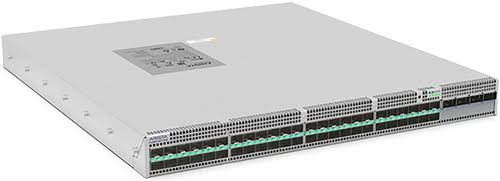
Key Features of Arista EOS Automation
1. Zero Touch Provisioning for Hands-Off Deployment
ZTP enables a new switch to adapt itself when it is racked, cabled, and powered up for the first time, without requiring any person to connect to a console cable. This transforms what was once a time-consuming and manual task with dozens or hundreds of switches into something that is largely automated.
2. Zero Touch Replacement for Faster Recovery
If hardware actually fails, ZTR provisions the replacement switch automatically, pulling configuration back automatically – not having to rebuild it from scratch or from an old backup. This reduces mean time to repair considerably, as it becomes a significant factor if a failed switch is causing an outage.
3. eAPI: A JSON Bridge Into Every Switch
eAPI is a JSON-based interface to EOS, bypassing the need to manually process CLI text output to extract the required information, which is overly fragile and easily confused by subtle changes to the command formatting. With a script or playbook that asks for the state of the switch, you get back clean, structured key-value data, designed to be consumed by code.
4. Arista Validated Design: Purpose-Built Ansible Modules
AVD is a set of roles and modules specifically designed for EOS that allow you to write Ansible automation without having to build a device module from scratch. AVD includes fabric state generation, fabric state deployment (CloudVision and eAPI), and fabric state validation modules. An example playbook can be used to deploy a full EVPN fabric based on a structured data model instead of hand-written configuration blocks.
5. Day 0, 1, and 2 Automation Coverage
Automation here isn’t limited to the initial deployment. Day 0 covers getting a switch provisioned in the first place, Day 1 covers pushing its configuration, and Day 2 covers ongoing operations like monitoring, upgrades, and changes over the switch’s entire lifecycle. A network that only automates the easy part, initial setup, still leaves the harder, ongoing work manual.
6. Works Alongside Ansible, Puppet, and Chef
Automation is not a restriction on the team using EOS. EOS integrates with configuration management platforms such as Ansible, Puppet, and Chef, and it also runs on Linux underneath, which means standard Linux APIs and tools work directly as well. If there is already an established Puppet server infrastructure, it’s not necessary for them to use a different set of tools for network devices.
Supported Products/Platforms
| Tool / Component | Role |
| Zero Touch Provisioning (ZTP) | Automatic configuration of new switches on first boot |
| Zero Touch Replacement (ZTR) | Automated configuration recovery for replacement hardware |
| eAPI | JSON-based API for scripting and tool integration |
| Arista Validated Design (AVD) | Purpose-built Ansible collection for EOS |
| Arista CloudVision | Turn-key automation for upgrades and configuration management |
| Puppet / Chef | Alternative configuration management integrations |
Common Use Cases
A data center build in Al Dhafra, UAE could employ ZTP to automatically configure each of the forty new switches when they are racked and powered on, rather than configuring them one by one. A telecom firm in Al Jouf, Saudi Arabia may use Zero Touch Replacement to make a failed switch operational within minutes of a technician replacing the device. An Ansible playbook from a logistics company in Bidbid, Oman can be created for deploying an entire EVPN fabric in its warehouse network in hours as opposed to days of manual configuration.
A rapidly expanding ISP in Surkhet, Nepal would save time conducting network-wide software upgrade rollback by automating it with CloudVision, eliminating the dreaded late-night manual upgrade window. A university in Garissa, Kenya could use eAPI to configure their switches in the usual way, and retrieve the switch state in JSON to process into their own internal compliance reporting system.
Real World Deployment Scenarios
- To streamline the process of configuring forty new switches, a data center build in Al Dhafra adopted Zero Touch Provisioning, which automatically configures each new switch as it is racked and powered on, rather than having to be configured individually.
- A telecom operator in Al Jouf uses Zero Touch Replacement to have a failed switch back into service in mere minutes, after which the configuration is restored automatically.
- The AVD collection is used by a logistics company named Bidbid to automate the deployment of an entire EVPN fabric in its warehouse network in hours instead of days.
- A university in Garissa writes routine audits of its configuration into eAPI, which fetches switch state in JSON format and passes that to its internal compliance reporting tool.
- An expanding ISP in Surkhet automates network-wide software upgrades and rollback using CloudVision, eliminating late-night manual upgrade windows that were dreaded.
- A UAE-based company has integrated Arista switches into its existing Puppet-based infrastructure automation pipeline, managing the network devices in the same methodology as it does with servers.
Why Choose Netmate for Arista EOS Automation
The technical team at Netmate consists of 20+ certified network engineers and 20+ presales consultants, and the team is responsible for configuring ZTP, developing Ansible playbooks for AVD, and integrating with EAPI, enabling a network team to manage switches rather than through manual CLI sessions. This payoff or failure comes in writing automation that adapts to the design of a particular network as opposed to just a general script that fails the first time it doesn’t match a template.
Whether you’re ready to set up Zero Touch Provisioning for a new rollout, build Ansible playbooks using the AVD collection, automate network-wide upgrades through CloudVision, or integrate eAPI into your own internal tools, Netmate helps your team get the most out of your Arista networking investment.
Contact:https://netmateit.com/contact-us-netmate-it-solutions/
Frequently Asked Questions
1. What’s the actual difference between ZTP and ZTR?
ZTP (Zero Touch Provisioning) handles a brand new switch getting configured automatically the first time it’s powered on. ZTR (Zero Touch Replacement) handles the opposite situation: an existing switch fails, and its replacement needs to come back online with the same configuration automatically, rather than someone rebuilding it manually. Both reduce manual work, just at different points in a switch’s lifecycle.
2. Do we need to know how to code to use Arista’s automation tools?
Some technical comfort with scripting or Ansible playbooks genuinely helps, particularly for building custom automation with AVD, but a lot of the core functionality, ZTP, CloudVision’s turnkey upgrade automation, works without writing code directly. For teams without in-house automation expertise, working with a partner to build the initial playbooks and workflows is a common and reasonable starting point.
3. What is eAPI, and why does it matter for automation?
eAPI is a structured, machine-readable JSON-based interface that allows scripts and tools to access and modify a switch without having to parse the raw output of the command line. This is important because a script that is dependent on the formatting of the CLI output will not work reliably if the formatting changes; eAPI’s structured format was designed to be reliably used by scripts.
4. What’s Arista Validated Design, and how is it different from regular Ansible?
AVD is a set of Ansible roles and modules that have been developed specifically for Arista EOS, and are not necessarily vendor-specific and require extensive modifications to operate smoothly with EOS. It has modules to generate configuration, deploy it, and validate that a fabric is really what it was designed to be after deployment, which is more of an automation workflow than a simple Ansible configuration.
5. Can we use Puppet or Chef instead of Ansible?
Yes. There is no requirement for EOS automation to be bound to a single configuration management tool. Puppet and Chef both work with EOS and since EOS is on Linux, standard Linux tooling works too. It is usually a decision of what a team already uses for other components of infrastructure, instead of Arista pushing one tool.
6. Does automation replace our network engineers, or just change what they do?
It alters the work more than the workers themselves. Those repetitive, mundane tasks provisioning a new switch, pushing a standard configuration get automated, relieving network engineers of time that they can use for design and troubleshooting, and for the decisions that automation can’t make without their help. Groups that have embraced this well are more likely to be more capable, rather than smaller.
7. What’s Day 0, 1, and 2 automation, and why does the distinction matter?
Day 0 is provisioning the initial setup and configuring a switch to connect to the network with basic connectivity. Day 1 is about pushing the full configuration once it has been identified. Day 2 is all that follows: Continuous monitoring, upgrades, and changes throughout the switch’s life. The difference is that even if you automate Day 0, the easy part, the more difficult, day-to-day operational part is still manual, and that’s where the bulk of the real-time savings lie.

Reviews
There are no reviews yet.