

Description
3CX Professional Installation
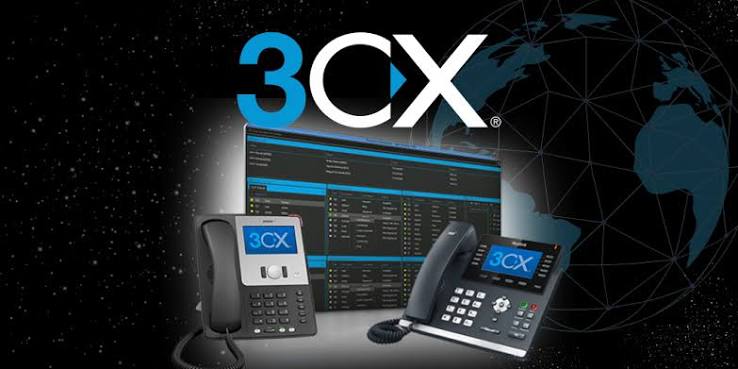
3CX Professional Installation is a done-for-you service that plans, deploys, and configures the 3CX phone system for your business. It covers server setup, firewall and network configuration, SIP trunks, extensions, and call routing, followed by testing before go-live. You can run it on-premises, on a cloud platform like AWS or Azure, or on 3CX-hosted infrastructure. Netmate IT delivers it from Dubai for businesses across the UAE, GCC, Kenya, and Nepal.
Once it’s live, your team gets VoIP calling, video meetings, messaging, and customer communication tools in one platform. Your engineers don’t have to work through the technical setup alone, and the system is ready for everyday business use from the first day.
Key Features of 3CX Professional Installation
1. Deployment Planning and Architecture
Before anyone touches a server, the team sits down with you to map out what the system needs to handle. How many users? How many calls at peak? Do you want to host it yourself or in the cloud? What does your network look like today, and where is the company headed? Your answers decide the installation model and how the server environment gets built. A bit of planning here saves you from hitting capacity limits or redoing configuration after launch.
2. Server Installation and Configuration
Next comes the server itself, whether it’s physical or virtual. The team installs 3CX, sets up the operating system and system settings, assigns your Fully Qualified Domain Name (FQDN), and sorts out administrative access. The server has to meet 3CX requirements to run reliably. Get that right, and everything built on top of it, from extensions to SIP trunks to apps, has a stable place to run.
3. Firewall and Network Configuration
VoIP is sensitive to network settings. A wrong NAT rule, a blocked port, or SIP ALG left switched on can cause failed registrations, one-way audio, and dropped calls. To prevent that, the team sets up the firewall rules 3CX needs, checks your network routing, and configures split DNS where it applies. Then they run the 3CX Firewall Checker to confirm everything connects. Your phone system, SIP provider, and devices end up talking to each other without surprises.
4. SIP Trunk and Call Routing Configuration
A SIP trunk is how 3CX reaches the outside phone network. The team enters your provider credentials, sets up your numbers and authentication, and configures outbound caller ID. They then build the call handling around it: inbound rules, outbound routes, ring groups, call queues, and Interactive Voice Response (IVR) menus. The result is simple. Each caller reaches the right department, and it all runs through one central system.
5. Extension Setup and IP Phone Provisioning
Every employee needs an extension, and this is where they get one. The team creates each user’s extension with the right permissions, voicemail, and calling options, then connects supported IP phones to it. They can also set up phone provisioning, Busy Lamp Field (BLF) keys, and call forwarding to fit how each person works. Got branch offices or remote sites? Supported SBC configurations connect their phones back to your main 3CX system.
6. System Testing and Deployment Validation
Nothing goes live until it’s been tested. Engineers place inbound and outbound calls, check extension registration, try call transfers and voicemail, test remote connectivity, and listen for audio quality. They also review firewall settings and user access permissions. Any issue shows up during testing, not on your employees’ first Monday with the new system.
Supported Products and Platforms
| Platform / Component | Role in 3CX Deployment |
| 3CX Hosted | Provider-managed hosting for businesses that want an externally managed phone system. |
| Amazon AWS | Cloud infrastructure for self-hosted 3CX deployments. |
| Microsoft Azure | Cloud environment for hosting business communication systems. |
| Google Cloud | Cloud infrastructure for supported 3CX installations. |
| DigitalOcean | Hosting environment for self-managed 3CX deployments. |
| Windows / Linux | Operating systems for supported on-premises installations. |
| VMware / Hyper-V | Virtualization platforms for hosting 3CX server instances. |
| IP Phones | Physical desk phones connected to 3CX user extensions. |
| 3CX Apps and Web Client | Desktop, mobile, and browser-based access to communication services. |
| 3CX SBC | Connects supported remote IP phones and branch offices to a central 3CX system. |
| SIP Trunk Providers | Connects the 3CX phone system to external telephone networks. |
Common Use Cases
Most companies reach out to us for one of a few reasons. Some want to replace an old PBX but can’t afford to drop calls while they switch. Others are growing and need one phone system across several offices. Some run a contact center and need queues and IVR that work properly. And some have teams in different countries who just want everyone on the same platform. Each of these needs a different mix of hosting, network setup, and call settings, so the installation is planned around the case, not the other way around.
Real-World Deployment Scenarios
- Replacing an old PBX in the UAE. We set up the server, move the SIP trunks, create the extensions, and build the call routing. The old system stays live until the new one is ready.
- Offices in Dubai and Abu Dhabi. One 3CX system runs both locations. An SBC links the IP phones at each branch back to the main system.
- Moving to Azure. We prepare the server, install 3CX, set up the firewall, and connect SIP. All of it happens in one project.
- Customer service teams. Call queues, IVR, and ring groups send calls to whichever agent or department is free.
- Remote staff. People use the 3CX desktop, mobile, or web app and get their office extension wherever they are.
- Moving from an existing PBX. We map the extensions, set up the phone numbers, connect the SIP trunks, and test every call flow before the switch.
Why Choose Netmate IT for 3CX Professional Installation
Netmate IT has spent more than 12 years working in IT infrastructure, and 3CX installation is one of the things we do best. As a 3CX partner, we handle the whole project with you: planning, installation, configuration, and integration. That means the server, the network and firewall, the SIP trunks, the extensions, and a full round of testing before you go live. You end up with a phone system that fits how your business actually communicates.
We’re based in Dubai and work with companies across the UAE, GCC, Kenya, and Nepal. We help you choose where to host, connect your phones and apps, and set up your call flows around the way your teams work. Moving from an old PBX? Starting fresh? Either way, we stay with you through the deployment. And if you need a migration, a configuration change, troubleshooting, or room to grow later, you can come back to the same team.
Frequently Asked Questions
1. What does 3CX Professional Installation include?
The full job, start to finish. We prep the server, install 3CX, and sort out licensing and the firewall. Then we connect your SIP trunks, create the extensions, provision the desk phones, and build the call routing. Before launch, we run test calls and check the basics, like transfers and voicemail.
2. Can 3CX be installed on-premises or in the cloud?
It can go either way. Some companies keep it on their own servers. Others use AWS, Azure, Google Cloud, or DigitalOcean. You can also hand hosting to 3CX itself. Security rules, your current setup, and how much your IT team wants to manage will usually point you to the right one.
3. Why not just install it ourselves?
You can, but 3CX touches a lot at once: servers, network, SIP, firewall. Get one setting wrong, and you’ll see calls that won’t register, audio that only goes one way, or calls that drop mid-conversation. We’ve built the checks into the process so those problems show up before your staff does.
4. Does the installation include SIP trunk and IP phone setup?
Yes, both. For the trunk, that means your numbers, call routing, and caller ID. For the phones, we handle provisioning, extension registration, voicemail, and BLF keys. What’s possible depends on your SIP provider and which phones you own.
5. Can Netmate IT migrate our existing PBX to 3CX?
Yes. First we look at what you have today and map out your extensions. Then we plan how your phone numbers will move, set up the SIP trunks, and test the call flows. A phased move works well for most teams because daily calls keep running while the switch happens.
6. Can 3CX support remote employees and multiple branch offices?
Yes. Remote staff can use the desktop, mobile, or web app. Branch offices and remote desk phones connect through SBC. How we design it depends on your locations, your network, where you host, and the devices people use.
7. Does Netmate IT provide support after installation?
We do. Need to add users, open a new branch, change call routing, or fix a trunk problem? Come back to us. The team that built your system already knows how it’s set up.


Reviews
There are no reviews yet.