

Description
Arista CloudVision WiFi
Arista CloudVision WiFi is the management software for Arista’s wireless network, covering configuration, monitoring, security, and troubleshooting for every access point from one dashboard. It comes as a cloud service or as an on-premises platform, and it runs on a distributed design where access points share state with each other over the wired network. Roaming, channel selection, and client steering don’t depend on a central controller box. An Arista C-330 access point takes less than two minutes to activate and configure after it connects to the cloud.
Netmate IT provides IT services in the UAE, GCC, Kenya, Nepal, and Africa, and its Bur Dubai engineers handle CloudVision WiFi projects from the first site survey to the last access point, for schools, hospitals, hotels, and offices. Arista is Netmate’s trusted infrastructure partner for wireless and campus work.
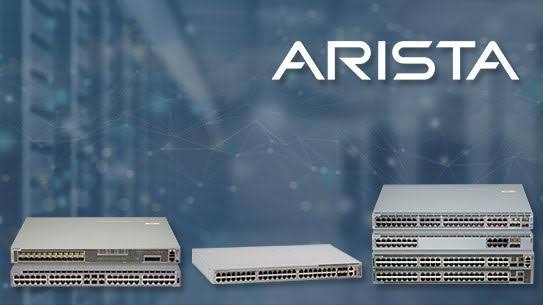
Key Features of Arista CloudVision WiFi
1. Cloud or On-Premises Management
The same CloudVision WiFi platform runs in Arista’s cloud or on a server inside a customer’s own network. A school group that likes the low upkeep of the cloud can use it. A hospital with strict rules about where management data lives can keep everything on site. New access points activate on their own either way, which cuts out the manual setup that used to eat a technician’s afternoon.
2. A Distributed Data Plane Without a Central Controller
Traditional WiFi sends traffic through a controller, and that box becomes a bottleneck and a single point of failure. In Arista’s design, access points swap state information with each other over the wired network using a secure, lightweight protocol. They use it to handle admission control, QoS, client steering, and roaming together, with no controller in the middle.
3. A Multi-Function Radio for Scanning, Security, and Testing
Most Arista access points carry an extra radio that never serves regular users. It scans the 2.4, 5, and 6 GHz channels around the clock, runs WIPS security checks, and can act like a client to test connectivity before real users hit a problem. That constant view of the airwaves feeds dynamic RF optimization, including smart steering, band steering, and power control.
4. Rogue Access Point Detection and No WiFi Zones
A rogue access point is an unauthorized hotspot someone plugs into a wall port. Arista uses patented Marker Packet technology to find and classify these, and it watches wired VLANs to enforce “No WiFi” zones. A bank or lab that bans wireless in certain rooms gets a way to prove the ban holds.
5. Client Journey and Packet Level Troubleshooting
When someone says the WiFi is bad, Client Journey shows how that specific device experienced the network over time. It automates root cause checks for weak coverage, high retry rates, and sticky clients that cling to a distant access point. For deeper digging, Arista Packets is a cloud-based visual packet analyzer, and RF Explorer and the spectrum analyzer show radio interference.
6. Per SSID Controls and Open APIs
Each access point radio supports up to eight separate SSIDs, and each SSID gets its own firewall, traffic shaping, QoS, and BYOD rules. Real-time data can also flow to third-party analytics tools through open APIs. A hotel can run guest, staff, and device networks side by side with different rules on each.
Supported Products/Platforms
| Component | Role |
| Arista C Series access points | Indoor access points, from WiFi 6 through WiFi 7 models. |
| Arista O Series access points | Outdoor access points, including mesh links between buildings. |
| CloudVision WiFi (cloud) | Cloud-hosted wireless management. |
| CloudVision WiFi (on-premises) | Wireless management kept inside your own network. |
| Arista Packets | Cloud-based visual WiFi packet analyzer. |
| RF Explorer and Spectrum Analyzer | Radio spectrum monitoring and on-demand scans. |
Common Use Cases
A university in Taif, Saudi Arabia might want every new access point to activate itself after plugging in, instead of a technician configuring each one by hand. A healthcare group in Khalifa City, UAE could pick the on-premises version to keep wireless management data inside its own data center. A bank branch network in Isa Town, Bahrain may need rogue access point detection and a strict No WiFi zone around its teller rooms. A resort in Kilifi, Kenya might use Client Journey to find out why guests’ video calls drop near the pool. A college in Banepa, Nepal could use the spectrum analyzer to trace a flaky classroom connection back to radio interference.
Real World Deployment Scenarios
- A university in Taif manages its access points from the cloud version of CloudVision WiFi, activating each new unit within minutes of plugging it in.
- A healthcare group in Khalifa City runs the on-premises version, keeping wireless management data inside its own data center.
- A bank in Isa Town uses the multi-function radio and Marker Packet detection to catch an unauthorized hotspot plugged into a wall port.
- A resort in Kilifi traces a guest’s dropped video calls with Client Journey, finding a sticky client holding onto a distant access point.
- A college in Banepa uses RF Explorer and the spectrum analyzer to pin classroom connection problems on interference near one access point.
- A UAE-based enterprise sends real-time wireless data to a third-party analytics tool through CloudVision WiFi’s open APIs.
Why Choose Netmate for Arista CloudVision WiFi
Good WiFi gets decided before the first access point goes up: where each one sits, which channels it uses, and whether management runs in the cloud or on site. Netmate Information Technology Services delivers end-to-end consulting, deployment, and ongoing technical support for Arista CloudVision WiFi, from wireless site surveys and access point placement to SSID policy design and WIPS tuning. Based at Al-Riffa Plaza in Bur Dubai, UAE, Netmate serves corporate clients across Saudi Arabia, Qatar, Oman, Kuwait, Kenya, and Nepal.
Netmate’s technical team, comprising 20+ certified network engineers and 20+ presales consultants, surveys the building first, sizes the access point count to real device density, and tests roaming before handover. Whether you’re ready to choose between cloud and on-premises management, survey a site before ordering access points, set up per-SSID firewall and BYOD rules, or tune rogue access point detection, Netmate helps your team get the most out of your Arista networking investment.
Contact: https://netmateit.com/contact-us-netmate-it-solutions/
Frequently Asked Questions
1. What’s the difference between CloudVision WiFi and CloudVision CUE?
CloudVision WiFi focuses on managing the wireless network. CloudVision CUE extends it into one console that also covers wired switches, WAN, and security. Arista’s current access point datasheets name CUE as the management platform, so many new projects start there.
2. Should we choose the cloud or the on-premises version?
Cloud means less to maintain, since Arista runs the platform. On-premises fits organizations that need management data to stay inside their own network. Both offer the same core approach, so the decision usually comes down to data policy and who wants to maintain what.
3. Do we still need a wireless controller?
No. The distributed data plane lets access points share state directly and handle roaming, steering, and QoS together. That removes a hardware box that could slow traffic or take the whole wireless network down with it.
4. What does the multi-function radio actually do?
It’s an extra radio that doesn’t carry user traffic. It scans all three bands continuously, runs WIPS security checks, and can act like a client to test connectivity. The constant scanning also gives better channel and power decisions than periodic checks.
5. How does CloudVision WiFi find rogue access points?
It uses patented Marker Packet technology to find and classify unauthorized access points, and it monitors wired VLANs to enforce No WiFi zones. That tells it whether a suspicious device is actually plugged into your wired network, which matters more than one that’s just a neighbor’s hotspot.
6. How do we troubleshoot one person’s complaint?
Open that person’s Client Journey to see how the device connected, roamed, and performed over time. It flags causes like weak coverage, high retries, and sticky clients. If that isn’t enough, Arista Packets lets a technician look at the packets themselves.
7. Which WiFi standards do Arista access points support?
Arista’s range includes WiFi 6, WiFi 6E, and WiFi 7 access points, among them the C-360 for 6E and the C-430 for WiFi 7. The right pick depends on the devices your people carry, since older phones and laptops won’t use the newer bands.

Reviews
There are no reviews yet.